

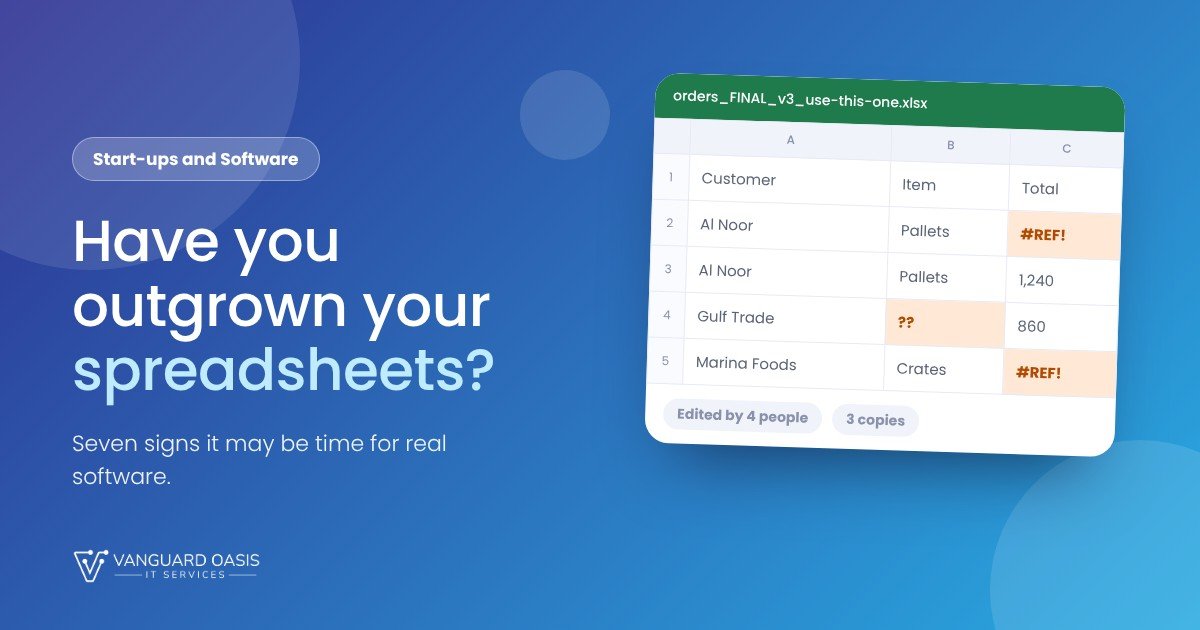
Spreadsheets are brilliant. They are quick, flexible and everyone already knows how to use one, which is why most businesses run on them for years. Plenty should carry on doing so.
The trouble starts quietly. A file that began as one person's list becomes the thing the whole company depends on, and nobody notices the moment it crossed the line. Research reviewed by Raymond Panko at the University of Hawaii found errors in 51% of the spreadsheets tested across studies from 1987 to 2000. Many of those were lab exercises, not live business files, so do not read that as your own risk. It does fit what most of us have seen, though: the more people share a file, the more likely something in it is wrong.
Here are seven signs that a spreadsheet may be doing a job it was never meant for.
The seven signs
- Nobody is sure which version is the real one. Files called "final", "final v2" and "final, use this one" are the classic symptom. If two people can edit different copies at the same time, someone's work will be lost.
- The same information is typed in more than once. A customer's details in the sales sheet, again in the invoice, again in the delivery list. Every extra copy is a chance for a mismatch.
- One person understands how it works. If the formulas live in someone's head and that person goes on leave, you have a continuity problem, not a spreadsheet problem.
- Reports take days to assemble. If a month-end figure means copying, pasting and checking across several files, you are paying someone skilled to do a machine's job.
- People should only see their own part. A spreadsheet is all or nothing. Once staff, contractors or clients need different levels of access, you are relying on trust and file names.
- A mistake would cost real money. Pricing, stock, payroll, commissions, compliance records. If a wrong cell could mean a lost customer or an awkward audit, you want a proper record of who changed what.
- Other people need to use it. The moment customers, suppliers or partners need to book, order or check status themselves, you have outgrown a file that is emailed around.
How many is too many?
A rough guide, not a diagnosis:
- One or two. Tidy what you have. Put the file somewhere shared, agree who edits it, protect the formulas, and write down how it works. That alone fixes a surprising amount.
- Three or four. It may be worth a conversation about what a replacement would need to do. A scoping session helps here: two hours, and a one-page brief with a range estimate, for AED 500 to 750.
- Five or more. You are probably already paying for the spreadsheet in time and mistakes. A free call is a sensible next step, and we can talk through a discovery sprint if it makes sense.
If you decide to go ahead, the scoping session is credited in full against the build. All prices exclude 5% VAT.
What real software changes, and what it doesn't
Software gives you one place where the data lives, people who see only what they should, a record of every change, and reports that build themselves. It does not give you a tidy business by itself. If your process is unclear, a system will faithfully automate the confusion, which is why the first step is always to be clear about what you actually do.
It also isn't free to keep. There is hosting, support and the odd change request. For a small team with a simple process, a well-organised spreadsheet can still be the right answer, and we will tell you so.
Not sure where you land?
We have a free ten-question check that takes about three minutes. It ends in one of three places: mostly fine for now, starting to strain, or time for software. There is no sales push if the answer is "fine".
Sources: Panko, What We Know About Spreadsheet Errors (arXiv)
Take the three-minute check.
Ten quick questions on how your team uses spreadsheets today. You will get an honest view on whether to tidy up, scope a replacement or book a call. Prefer to talk it through? Book a free call and we reply within one working day.


0 Comments