

Small companies tend to assume attackers are after someone bigger. The data says otherwise. Verizon's 2025 Data Breach Investigations Report found extortion malware in 88% of breaches at small and medium-sized businesses, against 39% at larger organisations. You are not too small to bother with. You are often the easier option.
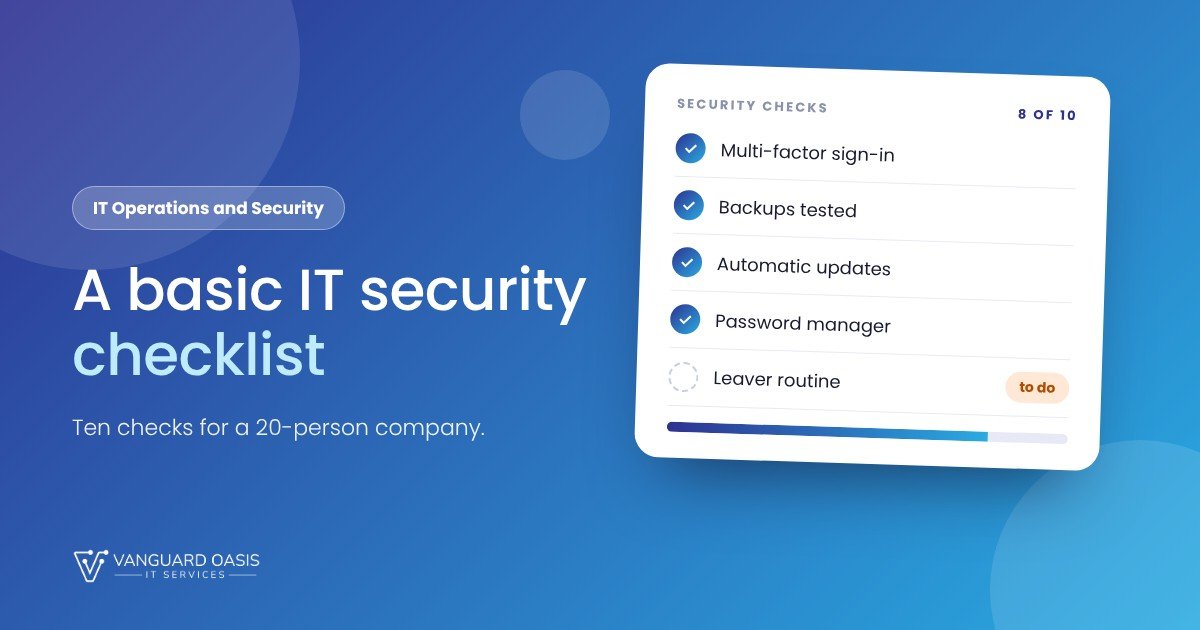
The good news is that most of the damage comes from a short list of gaps, and closing them does not need a big budget or a security team. Here are ten checks for a company of around 20 people. Work through them in order. The first four matter most.
The ten checks
- Multi-factor authentication on email and admin accounts. A stolen password alone should never be enough. Switch it on for email first, then for anything with administrator rights, then everyone.
- Backups you have actually restored. Keep more than one copy, with one that cannot be changed or deleted from your normal network. Then test a restore. A backup nobody has ever opened is a hope, not a plan.
- Automatic updates. Operating systems, browsers, office software, and the firmware on your router and firewall. Most break-ins use holes that already had a fix available.
- A password manager. It ends reused passwords and sticky notes, and it makes the secure option the easy one.
- Protection on every device. Managed antivirus or endpoint protection on laptops and servers, with someone actually looking at the alerts.
- Email filtering. Phishing is still the most common way in. Turn on your mail provider's spam and phishing protection, and make sure SPF, DKIM and DMARC are set up for your domain so nobody can easily send mail pretending to be you.
- Least access. Staff should not run day to day as administrators, and people should only see the folders and systems their job needs.
- A joiner and leaver routine. When someone leaves, their accounts, devices and shared passwords are dealt with the same day. Write the checklist once and use it every time.
- A sensible network. Change default router passwords, put guests and personal phones on a separate Wi-Fi network, and close any ports you do not need open to the internet.
- A one-page plan for the bad day. Who to call, who can switch things off, where the backups are, and who tells clients. Staff awareness fits here too: a short, regular reminder about phishing beats an annual lecture.
A framework worth borrowing
If you want something to measure yourself against, the UK's Cyber Essentials scheme is a good reference even though you are not applying for it. It boils basic protection down to five controls: firewalls, secure configuration, user access control, malware protection and security update management. Our list covers the same ground in everyday language.
Two things people forget
- Cloud accounts count. Microsoft 365, Google Workspace, your accounting package and your website admin login are all doors into your business. Check who has access and turn on multi-factor authentication there too.
- Personal data carries obligations. If you hold customers' or staff members' personal data, UAE data protection law may apply to you. Ask your adviser what it means for your business, and keep a note of where that data lives.
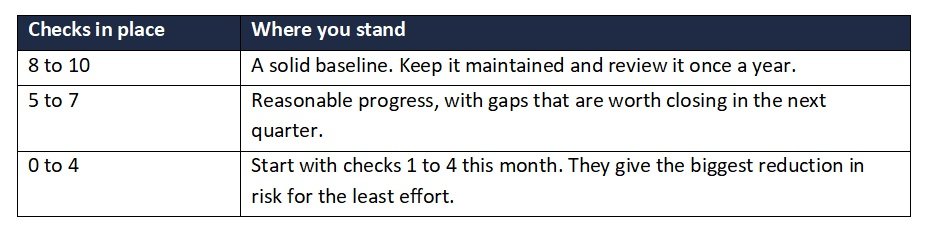
How to score yourself
When it is worth getting help
Many of these checks are one-off settings, and a capable office manager can do them with a free afternoon. The harder part is keeping them true: someone has to watch alerts, apply patches and check backups every week of the year. That is what our IT Operations and Security retainer is for. It combines 24/7 monitoring, help desk support, patching, network management and baseline security under one contract, priced per user or per endpoint. Monitoring and help desk are delivered with our partners under our contract, and we handle escalation and reporting.
Sources: Verizon 2025 DBIR: ransomware and SMBs (Infosecurity Magazine) | NCSC Cyber Essentials requirements for IT infrastructure
Want to know where you stand?
Book a free call and we will walk through these ten checks with you, and tell you honestly which ones you can handle yourself. We reply within one working day.
0 Comments